



Download TimeStamp – Free Digital Punch Clock for Windows & Mac | Track Work Hours & Stay Productive
Introducing TimeStamp: The Smart Digital Punch Clock for Modern Workaholics
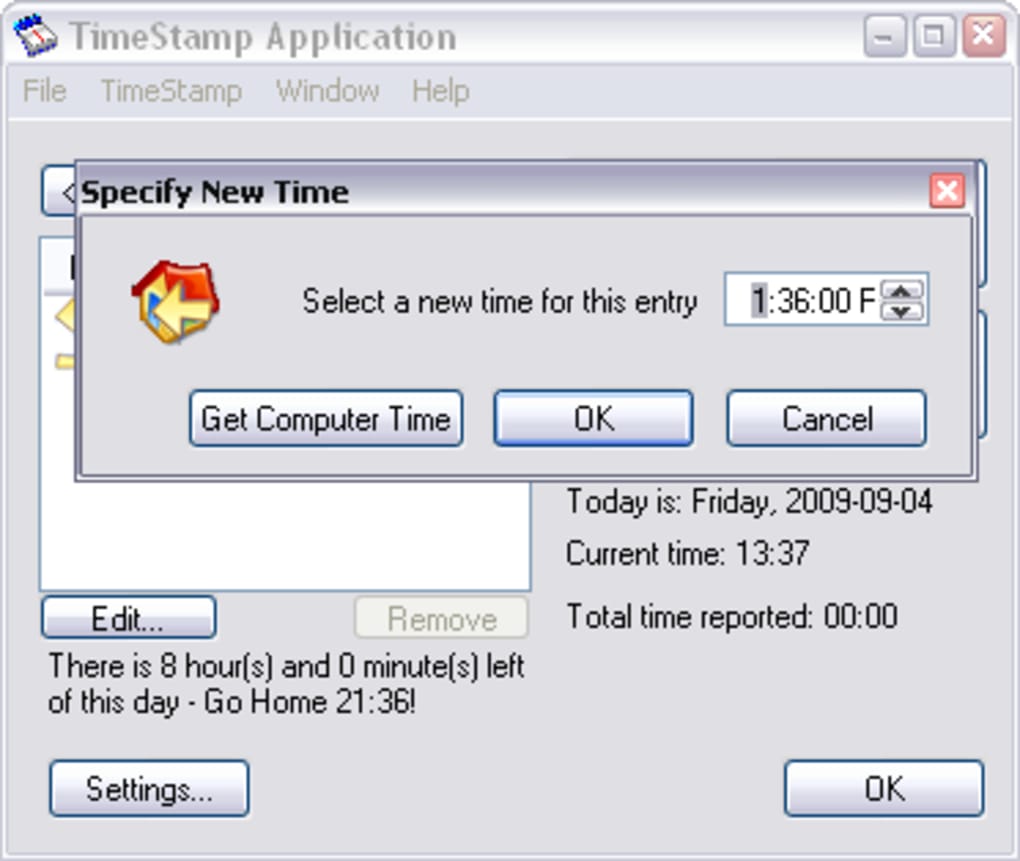
For remote workers, freelancers, and anyone juggling multiple projects, time management isn’t just important—it’s essential. That’s where TimeStamp comes in. This lightweight, intuitive software acts as a virtual punch clock, helping you mark the exact time you start and stop working, just like a traditional time clock. But unlike the old-school metal machines, TimeStamp brings modern features to the table: a sleek interface, system tray integration, automatic lunch break detection, and even a satisfying “punch” sound effect to make your workday feel more official.
Whether you’re logging hours for invoicing, ensuring you don’t overwork, or simply trying to establish a healthier routine, TimeStamp makes it easy. The app runs quietly in the background, minimizing to your system tray so it doesn’t distract you. It’s especially useful for those who forget to track their time or tend to stay at their desks long after their shift ends. With built-in reminders based on your “Workaholic settings,” the app gently nudges you when it’s time to wrap up—because even the most dedicated professionals need to leave the office sometimes.
What sets TimeStamp apart is its simplicity and focus. It doesn’t overload you with unnecessary features. Instead, it delivers exactly what you need: accurate time tracking, calendar views, and the ability to export your data in multiple formats like XLS, TXT, and CSV.
It’s the perfect tool for anyone serious about time accountability—without the complexity. And best of all? It’s completely free to download and use, making it accessible to students, freelancers, and small business owners alike.
Key Features That Make TimeStamp a Must-Have Productivity Tool
TimeStamp isn’t just a digital time tracker—it’s a complete work-life balance companion. Here’s what makes it stand out in a crowded market of time management apps:
- Virtual Punch Clock Interface – Simulate real office time tracking with a simple click. Start and stop your workday with a “punch” that includes a satisfying sound effect.
- Automatic Lunch Break Detection – Set your lunch break duration, and TimeStamp will calculate it automatically, ensuring you don’t count it as working hours.
- Workaholic Reminders – Define your working hours, and the app will send gentle notifications when it’s time to go home—perfect for those who struggle to switch off.
- Weekly Calendar View – Track all your logged hours in a clear calendar layout, making it easy to review your productivity each week.
- Exportable Data – Export your time logs to XLS, TXT, or CSV files for use in spreadsheets, accounting software, or client billing.
- System Tray Minimization – Keep the app running in the background without cluttering your desktop.
- Lightweight & Fast – Minimal resource usage means it runs smoothly on older or low-end machines.
These features combine to create a seamless experience for users who value both productivity and well-being. Whether you're a freelancer billing by the hour or a remote employee managing your own schedule, TimeStamp helps you stay on track without the stress of manual timekeeping.
How to Install and Use TimeStamp on Windows, Mac, Android, and iOS
Getting started with TimeStamp is quick and hassle-free. The app is available for Windows and Mac platforms, with a downloadable installer for both systems. For mobile users, while the desktop version is the most feature-rich, the app also supports Android and iOS through compatible web-based tools or companion apps (check the official website for the latest updates).
To install on Windows or Mac:
- Visit the official TimeStamp website and click “Download Free”.
- Run the installer file and follow the on-screen instructions.
- Launch the app after installation—it will appear in your system tray.
- Click the icon to open the main window and set your work hours and lunch break preferences.
- Click “Punch In” at the start of your workday and “Punch Out” when you’re done.
- Review your weekly logs in the calendar view or export data as needed.
Once set up, TimeStamp runs silently in the background. You can minimize it to the system tray and access it with a single click. The interface is clean and intuitive, with no steep learning curve. For those who want to go further, the app allows customization of reminder times, sound effects, and export formats. Regular updates ensure compatibility with new OS versions and add minor improvements based on user feedback.
For mobile users, the app offers a simplified version that syncs with your desktop data via cloud storage. This makes it easy to track time on the go—ideal for consultants, field workers, or anyone with a hybrid work setup.
Compatibility, Security, and User Experience
TimeStamp is designed to be compatible with a wide range of systems. It supports Windows 7 and later, including Windows 10 and Windows 11, as well as macOS 10.14 (Mojave) and newer. The app is optimized for both Intel and Apple Silicon Macs, ensuring smooth performance across all devices. While there’s no native app for Android or iOS, the web-based version offers full functionality for time tracking and data export.
Security is a top priority. TimeStamp does not collect or transmit your personal data. All time logs are stored locally on your device unless you choose to export or sync them manually. This means your work hours remain private and secure—no third-party access, no data mining. The app also doesn’t require an internet connection to function, making it ideal for users who value offline privacy.
From a user experience standpoint, TimeStamp shines. The interface is minimalistic, with clear icons and straightforward navigation. The system tray integration ensures it stays out of the way while remaining accessible.
The “punch” sound effect adds a fun touch, making the experience more engaging. The calendar view is easy to read, and the export options are flexible enough for both personal and professional use. Overall, it’s a well-thought-out tool that balances functionality with simplicity.
Pros and Cons: Is TimeStamp Right for You?
Like any tool, TimeStamp has its strengths and limitations. Here’s a balanced look at what users can expect:
Pros
- Free to download and use—no hidden costs
- Simple, intuitive interface perfect for beginners
- System tray operation keeps it unobtrusive
- Automatic lunch break tracking saves time
- Workaholic reminders help maintain healthy boundaries
- Multiple export formats (XLS, TXT, CSV)
- Lightweight and fast performance
- Secure, offline-first design
Cons
- No built-in short break reminders (a missed opportunity)
- No native mobile app for Android/iOS (web version only)
- Limited customization for reminder sounds and timing
- No cloud sync or multi-device support (data stays local)
- Minimal reporting features beyond weekly logs
Frequently Asked Questions (FAQ)
Is TimeStamp really free to use? Yes, TimeStamp is completely free to download and use. There are no premium tiers, subscriptions, or hidden fees. All core features are available at no cost.
Can I use TimeStamp on my Mac and Windows PC? Absolutely. TimeStamp is available for both Windows (7 and later) and macOS (10.14 and newer), including Apple Silicon Macs.
Does TimeStamp work on Android or iOS? There is no native app for Android or iOS, but a web-based version is available for mobile access. Data can be synced via cloud storage for cross-device use.
Can I export my work logs to Excel? Yes, TimeStamp allows you to export your time logs in XLS, TXT, and CSV formats—perfect for invoicing or payroll tracking.
Is my data secure with TimeStamp? Yes. TimeStamp stores all data locally on your device. It does not collect or transmit your information unless you manually export or sync it.
Final Verdict: A Must-Download for Time-Conscious Professionals
If you’re a freelancer, remote worker, or someone who struggles to leave the office on time, TimeStamp is a game-changer. It’s a simple yet powerful tool that helps you track work hours, avoid burnout, and maintain a healthy work-life balance—all with minimal effort. Its free price point, secure design, and ease of use make it one of the best digital punch clock apps available today.
While it lacks mobile app support and short break reminders, its core features are rock-solid. The ability to export data, set workday limits, and get gentle reminders to go home is invaluable for anyone serious about time management.
Download TimeStamp today and take control of your workday—before your boss does.







